Before & after photo compare · iPhone
Line up two photos. See what changed.
Difference aligns your before and after for you, then shows the change as a split, a blend, a blink or side by side. Share it as a photo or a short video.
Coming soon to the App Store for iPhone.
- No account
- No subscription
- Photos stay on your iPhone
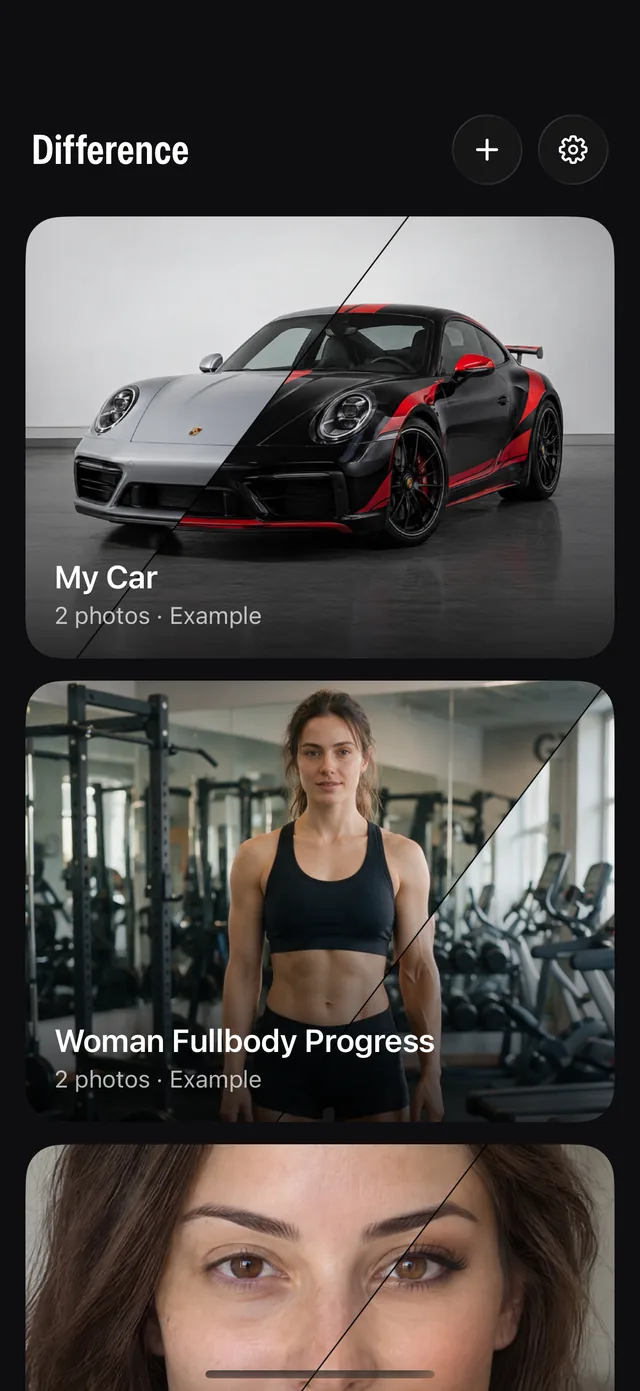
How it works
From two photos to a result, in three steps.
Pick a before and an after
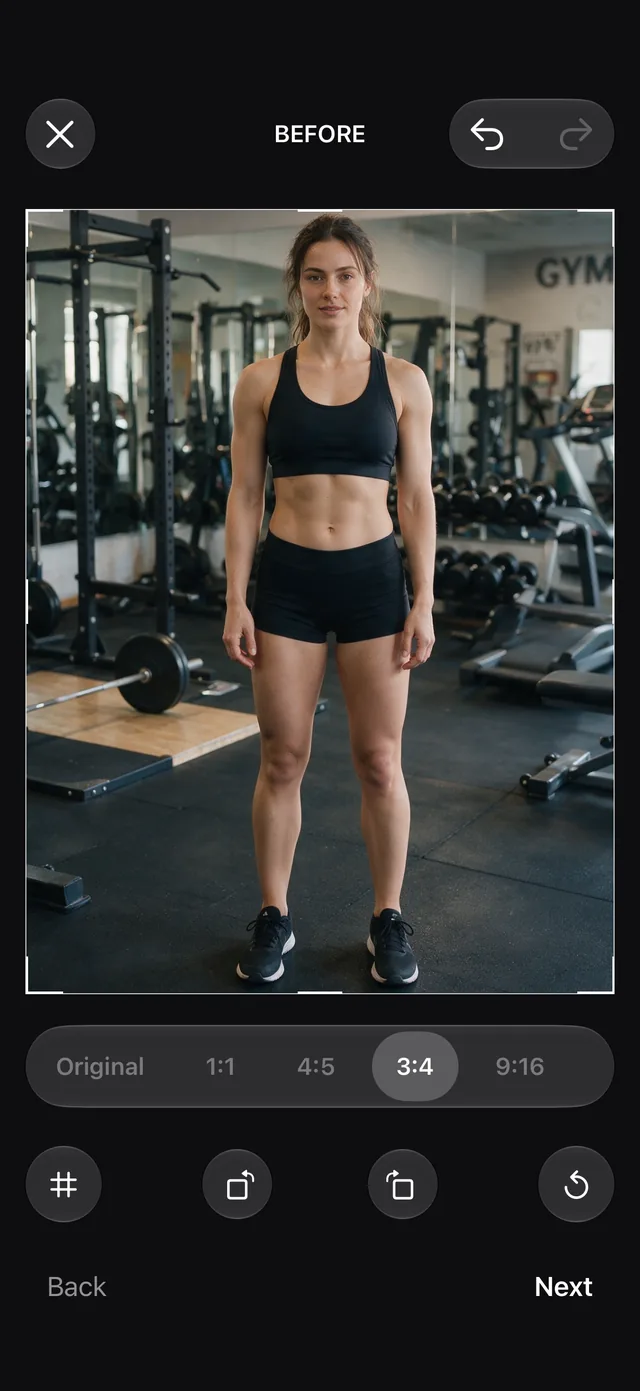
Choose two photos from your library, or try a built-in example. Crop and frame each one the way you want it.
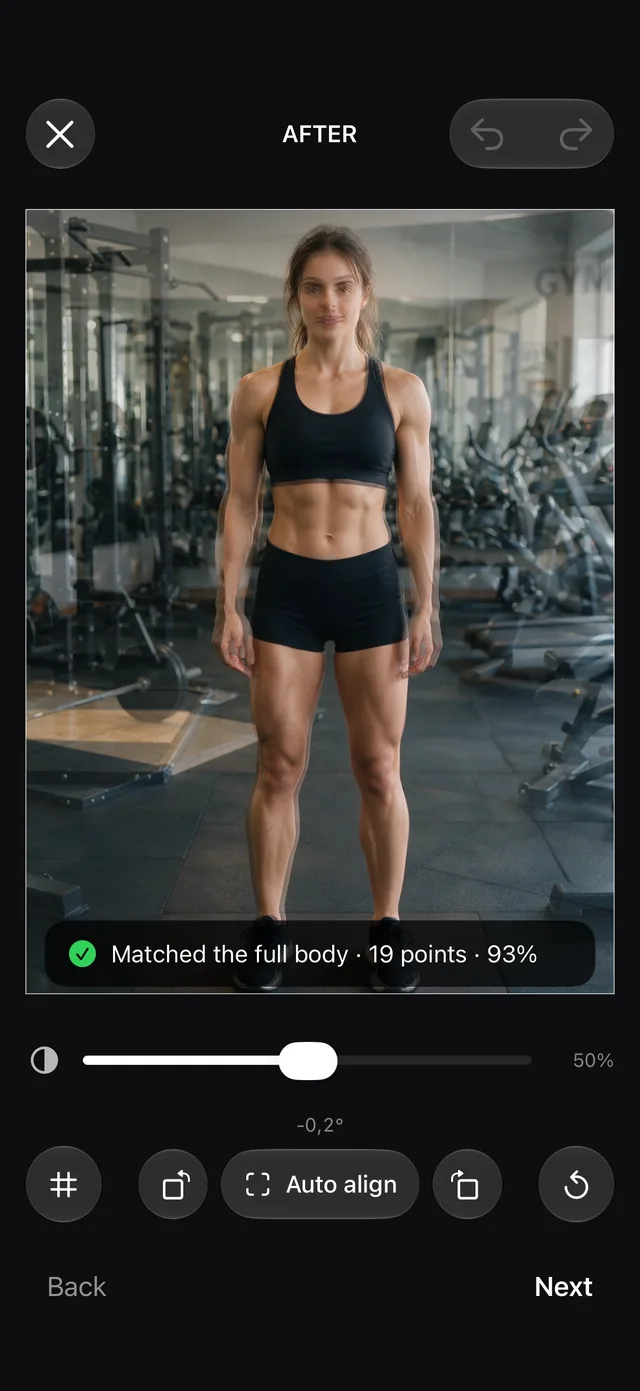
It lines them up
Auto align finds the body, face, pet, object or room in both photos and matches size, angle and position. Fine-tune by hand if you like.
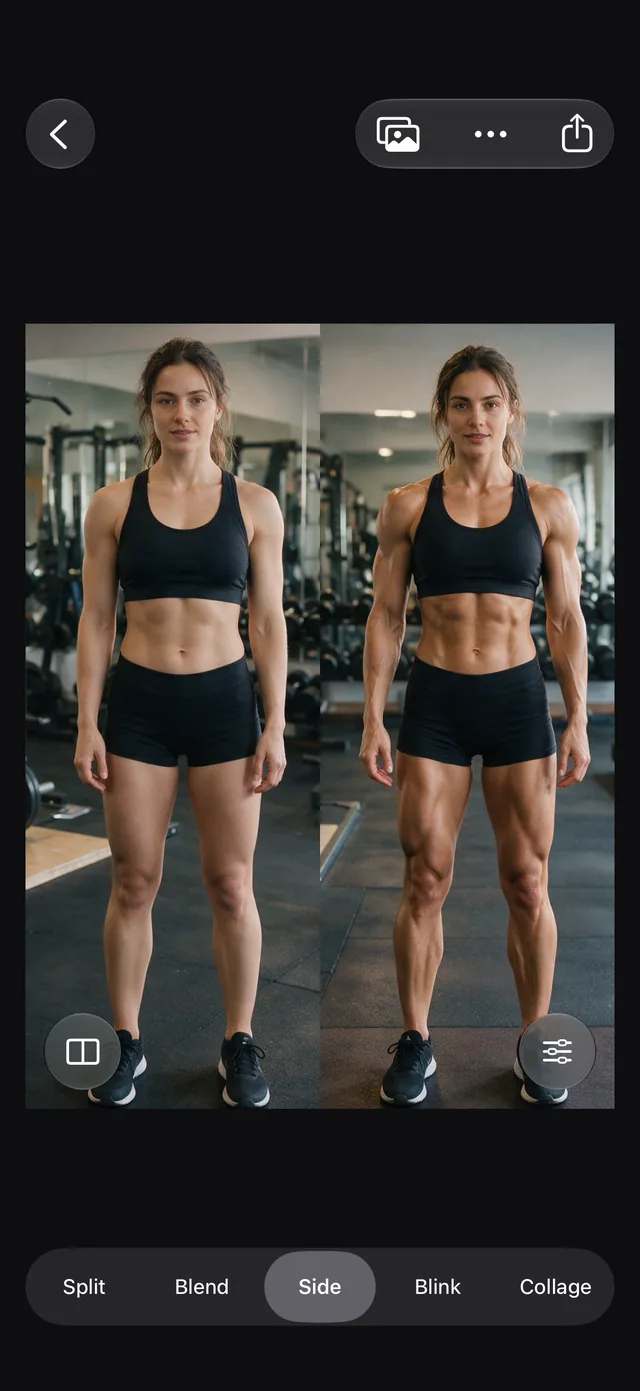
Compare and share
Pick how to show the change, like Side by side here. Then save it to Photos as a still or a video, or share it to any app.
What you get
Everything you need to compare two photos. Nothing else.
Automatic alignment
Matches the two photos for you, so you see the change and not the camera. Touch and hold to choose what to match: body, face, head, pet, object or room.
Five ways to compare
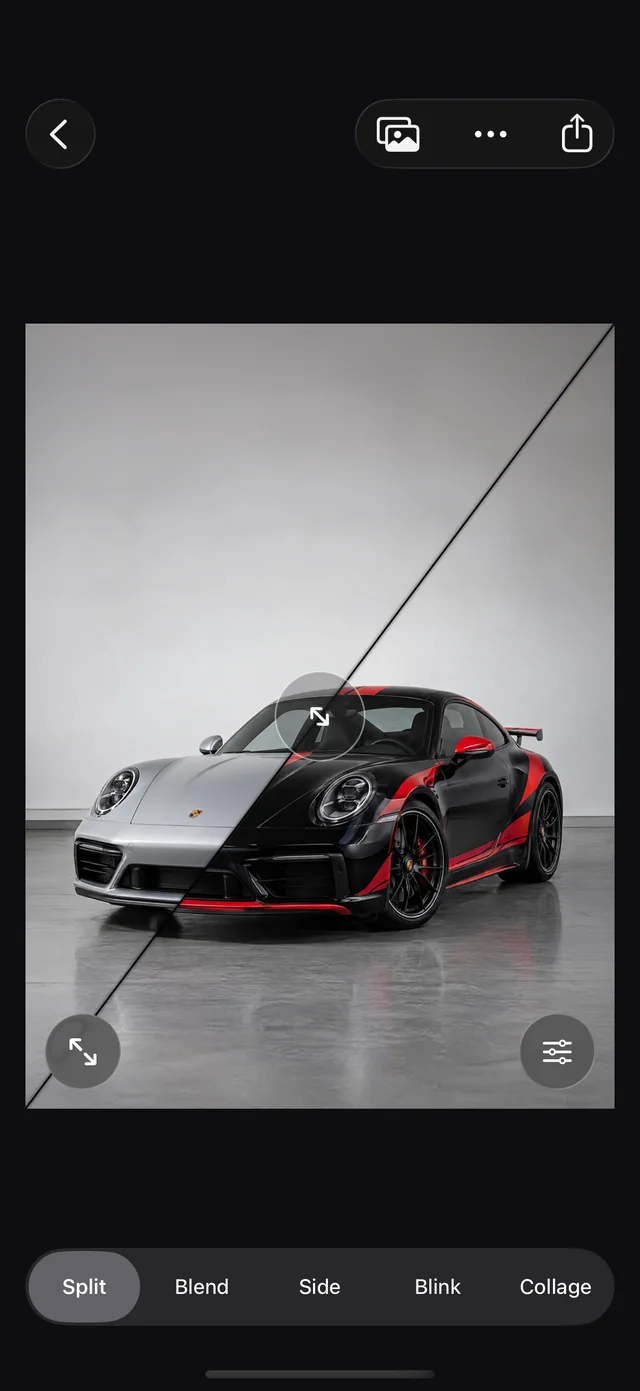
Split, Blend, Side, Blink and Collage. Switch with one tap and keep the same alignment.
Photo and video export
Save a still, or a short video with the change sweeping in. Original, square, 4:5, 3:4 or 9:16, with optional Before and After labels, names and dates.
Fine-tune by hand
Drag, pinch and rotate with a grid to help, and match colours so the light doesn’t steal the attention.
Projects with many photos
Keep a whole series in one project, choose any two, and build a collage of up to six.
Private by design
No account, no tracking, no ads. Lock a project with Face ID, and turn on iCloud only if you want your projects on every device.
Compare
Five ways to see the change.
And one more. Blink switches between the photos as the eye does, so differences jump out.
Not just people
Built for anything that changes.
Training, skin, hair, a renovation, a garden, a child growing up. If you can photograph it twice, you can compare it.
Body
Full or half body, even mirror selfies.
Face
Matched on eyes, brows and nose, not the smile.
Pet
Matched on their own pose.
Room
Lined up on the room itself, for renovations and gardens.
Object
Cars and other things, matched by their outline.
Kids
Eye line matched and size kept, so you see them grow.
Private by design
Your photos are yours.
Everything runs on your iPhone and the app has no servers. If you want your projects on your other devices, iCloud is there to turn on, in your own account.
- No account
- No tracking
- No ads
- Face ID lock
Price
Try it free. Buy it once.
No weekly plan, no yearly plan. One purchase, and it’s yours.
Free
0 krto try everything
- One project with up to three photos
- Auto align and every compare mode
- Photo and video export
Full version
99 krone purchase · no subscription
- Unlimited projects and photos
- Import projects from others
- Yours on every device with your Apple Account
Questions
Good to know.
What do I need?
An iPhone with iOS 17 or later. Difference is made for iPhone.
Do I need an account?
No. There is no sign-up and no login. Your photos stay on your iPhone unless you turn on iCloud yourself.
Does it only work for bodies?
No. Auto align can match a body, face, head, pet, object or room. Touch and hold the Auto align button to choose.
Any tips for taking the photos?
Leave some extra space around the subject, whether it’s a person, a pet, a car or a room. With room to spare, Difference can scale, turn and move a photo to match the other one without cutting off the edges.
What if the alignment isn’t right?
Drag, pinch and rotate the photo by hand, with a grid to help. The photos are never changed; only how they are placed.
Is it a subscription?
No. The free version covers one project with up to three photos. The full version is a single purchase of 99 kr.
Can I lock a project?
Yes. Locked projects open with Face ID, Touch ID or your passcode.